Sunday, March 29, 2015

Happy April Fools' Day!

I saw this idea on Pinterest: http://hafuboti.com/2013/04/01/library-fools/

I thought it was completely hilarious and wanted to do something similar...so I made up my own!
Our 2 most checked out easy fiction books [Fly Guy (Tedd Arnold)
and Gingerbread Man (Mike Lowery)] 
...had to combine them!
 
Our 2 most checked out fiction books [Diary of a Wimpy Kid: Hard Luck (Jeff Kinney)
and Juliet the Valentine Fairy (Daisy Meadows)]...had to combine them!

My absolute favorite:


The whole board:

Want them? Click here! 
I realize that this probably goes against all kinds of copyright rules,
BUT all the works are cited in the document and after my signature!
I love all the author and illustrator ideas and wanted to play and share my new silly ideas!

Thanks for reading! Let me know if you use this silly idea too! I would love to hear your wonderful ideas!

Keep reading! 
Mrs. Thakkar
Donate to Ogden Library's Current Donor's Choose Project today

Works Cited:
Arnold, Tedd. Hi! Fly Guy. New York: Scholastic, 2005. 
Bridwell, Norman. Clifford, the Big Red Dog. New York: Scholastic, 1985. 
Kinney, Jeff. Diary of a Wimpy Kid: Hard Luck. New York: Amulet, 2013. 
Meadows, Daisy. Juliet the Valentine Fairy. New York: Scholastic Paperbacks, 2009. 
Murray, Laura, and Mike Lowery. The Gingerbread Man Loose in the School. New York: G.P. Putnam's Sons, 2011. 
Seuss, Dr. Horton Hears a Who! New York: Random House, 1954. 
Watt, Melanie. Scaredy Squirrel. Toronto: Kids Can, 2006. 
Willems, Mo. Don't Let the Pigeon Drive the Bus. New York: Hyperion for Children, 2003.

Thursday, March 12, 2015

Library Confessions


Our 2nd graders are starting an iMovie project. The students will teach how to use the library to our younger kids. I found this on one of the iPads and had to share. Put on the closed captions (CC) for all the secrets....


Kids are so funny... =)


Thanks for reading! Let me know how you are using iMovie or videos in the comments! I would love to hear your wonderful ideas!


Keep reading, 
Mrs. Thakkar

Tuesday, March 3, 2015

Aurasma Day 1

Ahhhhh! Technology, kids, and apps, oh my! It was chaotic, but so much fun to see our students come alive and share their knowledge and creativity! 

To start, each child was assigned a group and a role.
I used our Learner Profiles as groups/subjects, and had 10 groups. 

I had 3 roles - 
1. Videographer
2. Director
3. Recorder

I assigned all the groups and all the roles. 


When the students came in, I started with a short discussion of what an aura or aurasma might be. I then explained what it was and that we were going to make one! I showed my video. Then I split up the groups. Each was assigned an adult helper (I was lucky to have 2 parent volunteers that day, and the classroom teacher and myself, which helped split things up). Each group was given their learner profile and the instructions. 


Taking video!
First, each group read the directions. Each adult explained the roles. The recorder was to read the description of the learner profile. The videographer would videotape and hold the iPad. The director would say "action!", "cut", etc! Then they had to go to Aurasma, choose the video they just made, make it the aura and assign it a trigger (the picture on their learner profile). Then they were given their iPad and told to try it out! It. Was. Amazing!


By the end of it, we had students making videos on their favorite books and then making an aura! More to come on that later!

If you want to try it, try the handout and video!

Thanks for reading! Let me know how you are using Aurasma in the comments! I would love to hear your wonderful ideas!

Keep reading!
Mrs. Thakkar

Aurasma: PreDay 1

Spent about 4 hours updating all my school iPads. 


Downloaded Aurasma to all of them and spent about 2 hours making a short video, a handout, and took LOTS of pictures! 


Handout 


Short video (not the best video, but will get the idea across, plus we'll use Reflector in the library tomorrow)

More to come! 

Thanks for reading! Let me know how you are using Aurasma in the comments! I would love to hear your wonderful ideas!

Keep reading!

Mrs. Thakkar

Sunday, March 1, 2015

Happy Birthday Dr. Seuss: The Cat in the Hat Knows Where His Library Book Goes!

Tomorrow is Dr. Seuss's birthday! I didn't have anything planned, but then this idea came to me and I whipped it up for tomorrow!
Have the students look at their own books and write the call number. Then have the students think about the section and letter or number shelf. 

For example:


It may also be
Fiction:  F THA, Fiction, the T shelf 
Nonfiction: 921 THA, Nonfiction, the 900 shelf.

Yes, they are all my call numbers =) 


Want this?? I put it on TPT for free! Go get it! 

Thanks for reading! Let me know how you are celebrating Dr. Seuss' birthday in the comments! I would love to hear your wonderful ideas!

Keep reading!
Mrs. Thakkar

Thursday, February 26, 2015

Proud of my new lists!

How many times have students said any of these?

"I don't know what to do."
"I'm finished. What should I do?"
"I'm finished, can I go on the computer?"
"I'm finished. I'm finished. I'm finished!" 

Or have you heard yourself saying:
"Write your name."
"Did you read the directions?"
"Did you write your sentence?"
"Did you draw a picture? Does it make sense?" 
"I sure hope there are no dinosaurs in the library . . ." (maybe this one is just me . . .)

Well, now you can point to #1. 


And they will know what to do:


And maybe I can spend more time finding new things to do when they are finished. I have already promised that one day, one of the choices will be computers. Soon to be made! 


Thanks for reading! Let me know how you remind kids in the comments! 
I would love to hear your wonderful ideas also! 

Keep reading, 
Mrs. Thakkar

Little Things Make Me Happy


Did this today to my iPads.
I realize I'm behind the times. 

There are tons of posts about how you should make the wallpaper the iPad number. 

I realized that instead of making all new numbers, taking off the old numbers, and re-taping the new numbers, I could just join the 21st Century and change the wallpaper! I made the labels on my computer, and just used the iPad to take a picture of the label (on the screen and all...just take a few seconds to focus the picture and they come out great)! Then I set that picture as the wallpaper. I did this for all 13 iPads and did a special "Mrs. Thakkar's Hub" label for my hub iPad so I know which is which! We'll see how it goes tomorrow! 

They now make me even happier than before!

They also match all my labels 
(the polka dot labels I got from Teachers Pay Teachers.) 

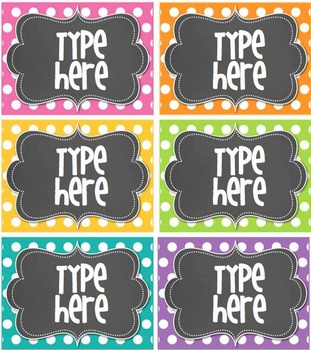
Editable Polka Dot Tags- BRIGHT polka Dot with Chalkboard-


I went back and forth for so long…they are totally worth it! I use Them. For. Everything!

They make everything cute and coordinated
and make me feel cute and 
coordinated...even though I am not at all... J


Thanks for reading! Let me know how you are organizing your iPads in the comments! 
I would love to hear your wonderful ideas also! 


Keep reading, 
Mrs. Thakkar

Bonus!
Make a tinyurl - 
Find a long cumbersome url? 
www.whocaresaboutsomanyletters.com
Copy the url.
go to tinyurl.com
Paste the url, name it if you want (tinyurl.com/icare)
Send it to friends! 

I also use this when I want to send URLs to staff, students, or parents and don't want a missed period or slash to muck up the URL. This way there is less chance of mistakes and more chance of the intended audience viewing the intended content!