Saturday, January 4, 2014

Welcome Chilly January! Let's Focus on Informational Text Features!

So I'm sure you're thinking, we go back to school Monday, I better have something fabulous in my coffee cup...wait, for my students! (although, true dat' to the coffee cup, our forecast for Monday is -8 degrees...balmy...? Then you look at the windchill and the real feel: -40 degrees! That's not nearly enough degrees!!! =) 

Anyways, after my frozen popsicles come to school, we will hit the ground running. I usually start nonfiction in November, and with book fair and the holidays, we just explore. Now, this is where we start focusing HARD on info text features.
Now we'll start looking and learning from them. We will also learn more about WHY and WHEN we use these. 

Weeks of January 6, 13
Photographs, illustrations, and captions


Weeks of January 20, 27
Table of Contents, Heading
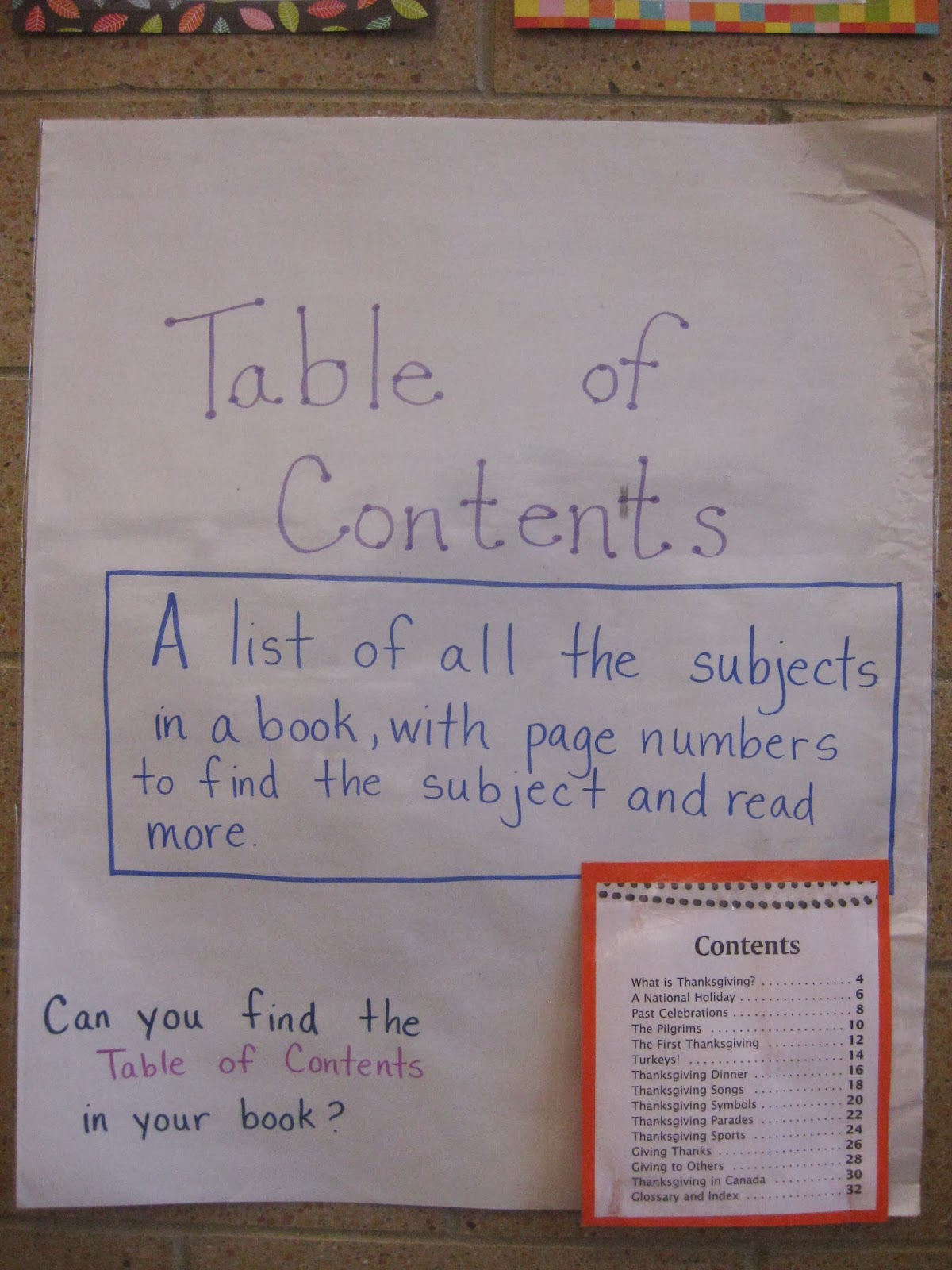


Weeks of February 3, 10
Label, and Bold-faced word 


Weeks of February 17, 24
Index and Glossary


This goes along directly with the following Common Core standards:

CCSS.ELA-Literacy.RI.1.5 Know and use various text features (e.g., headings, tables of contents, glossaries, electronic menus, icons) to locate key facts or information in a text.
CCSS.ELA-Literacy.RI.1.6 Distinguish between information provided by pictures or other illustrations and information provided by the words in a text.
CCSS.ELA-Literacy.RI.2.5 Know and use various text features (e.g., captions, bold print, subheadings, glossaries, indexes, electronic menus, icons) to locate key facts or information in a text efficiently.


For all grades, the Reading Area will be where the students practice finding these features. For K and 1st, we will start reading Tumblebooks on the SMARTboard as one of the centers to look for these features. They will work together to reflect on the books they read. 

In 2nd grade, because they have learned how to use SOAR (the online card catalog), on the computers we will also learn how to go to the eBooks and to look for the features. I will also encourage students to checkout nonfiction to practice these skills at home. 

I would also recommend having the students do a pre and post assessment. It's editable, so I will change it to 9 above, plus title page and copyright page. This gives you some accountability, plus isn't so overwhelming to do it one on one with each child (which was driving me crazy). 


I will also change all the seats, and make new center groups. To do that, I'll pick 1 or 2 at each table to make small groups of 8 - 10. I will also assign partners within the small group so that we don't have a fight over who our buddies are, etc. This should make a whole bunch of logistical things a little easier. I usually use tables but I want to separate the students, so that they don't copy off each other when we do assessments...we'll see how it works out! 


I will also be adding a new iPad center...more to come! 

*** UPDATE *** I loved this PPT for the older kids! 


A bunch of great ideas on Mandy's Tips for Teachers Blog


I also used this GREAT Nonfiction Text Features Posters on TPT, and it's free! I printed them all out, changed the "cover" to Informational Text Features, and laminated them all. I posted them in the library to help kids remember. I also used many of these signs descriptions to make my anchor charts (that I will take pictures of when we finally go back tomorrow!). Hope it helps!

Thursday, December 19, 2013

Using Primary Sources in Primary Grades...Crazy? Or Awesome?

This is more of a try it out and see...when I was at ISLMA's conference, I saw a great lesson using primary sources!

I'm going to try it out with 2nd grade. I am going to use the Primary Source Analysis Tool (find it here: http://www.loc.gov/teachers/usingprimarysources/guides.html) and have students look at pictures. Since it is January, I was thinking about using a picture of Martin Luther King Jr.'s Office. I will make copies (and laminate if possible!) and then introduce one piece of the Analysis Tool each week. So each week the center will be Observe, Reflect, Question, and Investigate.


Week of January 6:
They will simply observe the photo. They will use these questions to help them guide their observations:
  • What do you notice first?
  • Find something small but interesting.
  • What do you notice that you didn’t expect?
  • What do you notice that you can’t explain?
  • What do you notice now that you didn’t earlier?

Week of January 13:
They will reflect. They will look at the picture, and read over their observations. Then they will use these questions to help them guide their reflections:

  • Where do you think this came from?
  • Why do you think somebody made this? 
  • What do you think was happening when this was made? 
  • Who do you think was the audience for this item? 
  • What tool was used to create this?
  • Why do you think this item is important? 
  • If someone made this today, what would be different?
  • What can you learn from examining this?

We will also watch this video: MLK - The King and His Dream

Week of January 20:
They will question. They will look at the picture, and read over their observations and reflections. Then they will use these questions to help them guide their questioning.
What do you wonder about...
  • who?
  • what?
  • when?
  • where?
  • why?
  • how?

Week of January 27:
They can think about further investigations. They will use their notes and the photo, then use the following questions to guide further investigations. 
  • What more do you want to know?
  • How can you find out?
I made a quick PPT to show the students the guiding questions and to help me remember the questions. 

As I think this over, I may have to do this as a whole group lesson to model how to observe, reflect, question, and further investigate. OR I may have them do the observe and reflect in small groups, but do the question and further investigation with me. 
This may be really hard, but I think I'm going to try it out with one 2nd grade and one 1st grade class. Then after the "pilot" I will try it out in February with a new topic with all the 2nd graders. Then another topic for all the 1st graders in March. We'll see how it goes!

Thursday, December 5, 2013

Scholastic Book Fair is Here!

And is it over yet? =)

We're in the thick of our book fair, and I thought I'd reflect on some of the things I do and some of the things that might make it easier!

We run the book fair for 3 days, and I am incredibly lucky that I get a substitute for 5 days, 1 day to set up, 3 days of actual fair, and 1 day to take down. This year, the week before the book fair, I canceled centers (oh no!) and had a little different set up. For the kindergartners, I told the kids that I had a special surprise that we had to get ready for and that we needed to check out in 15 minutes so we would have time for the special surprise. For 1st - 2nd, they know the fair is coming (the signs went up about a month ago), and we went over that we needed to check out in 15 minutes so we have time to ask questions about the fair and watch the book fair video!

We talk about what a book fair is. We talk about how a book fair is different than a library - in a library, we borrow the books, in the book fair, we buy the books. This inevitably leads to...what would we need to bring to the book fair if we want a book? These conversations really help when kids show up with no money (or 9 pennies and they think it's 9 dollars...oh poor thing...). I am debating having a money lesson before the next book fair, but hate to invest that much time in a 2/3 day event...and it takes away from the research and technology lessons I want to focus on...so we'll just help them count...and buy a coin counter!

The students are super excited, and because they have seen the video, have the fliers, know what's coming, know that it is a BOOK STORE and not the library, they bring money and we make a ton of money for the school!

More to come. And no, we do not have any more Lego Chima books or Bendy pencils. =)

Thursday, November 7, 2013

Why Call Numbers Are Important!

Last month, we focused on what call numbers are, and starting every class with a variation on call numbers. 

For Kindergarten, we talk about what to do if a book is lost. 
On the SMARTboard, I have the "To Do" list:

To Do                                     10/22/13
1. A book is lost. How do I know where to put it back correctly? 
2. November Calendar
3. Halloween Center
4. Go to Centers.

We read each sentence in the list and I explain and we practice if needed. 
For #1, I have them talk at their table for one minute. 
Then I ask them to share their ideas. 
I'm looking for them to tell me to look at the call number! 
Then I write the word call number on the board. 
I then have 3 books to "put away" together. 

I write the call number under the word call number and then write down section and letter shelf in 2 different colors. 

For example: 
E
LEI

Then I ask them what section does this book go in, Easy Fiction, Fiction, or Non-fiction. I ask one student to answer and then ask them how they knew that. We go over that the first row tells us the section  so E for Easy fiction. I write out easy fiction and underline the E. 

Then I ask what letter shelf does this go on. I ask one student to answer and circle the letter. If they give the wrong answer, I cross out that letter and ask them if they need help, then I choose another student. We then discuss how they knew the answer and then I let the student that answered find the letter shelf and put it away. 

I also use this time to remind the students which direction to put the book on the shelf - spine out, with the call number right side up (since we can't do headstands to see the call numbers! They get a good giggle thinking of Ms. D doing a head stand!).

For #2, we are making a November calendar. I hold up the calendar just to jog their memory. I may also go over how to do it together again if the class needs it. 
For #3, we have a Happy Halloween Center - they remember this! This will change to Happy Holidays soon, same idea just now we play the Winter Holiday games. 
For #4, I go over each center and whether it is With a Buddy or By Yourself and we get started!
This is also where I reviewed the Brainpop Jr. Movie of the Week Center and we practiced together if needed. 

In 1st and 2nd, we review how to put books away and why we have call numbers.  

We are learning more about the call numbers in 2nd grade because we are learning the Online Library Catalog system and without a basic understanding of call numbers, it is almost impossible to find the books. 

So, we talked about it, and I video taped it! I then used Magisto to make the clips into one video (it does it for you!). Please enjoy my students and their amazing explanations! 

Video: "Why Are Call Numbers Important According to 2nd Graders!"

Video: "Why Call Numbers?" (I was also having fun playing around with Magisto...=) 

November is for Nonfiction!

Watch our Centers in Action! If only my one friend had not crawled under my desk...otherwise this would be a wonderful video! But, it does show the reality of the library! 

In November, I start introducing what nonfiction is for Kindergarten. I review what nonfiction is and start or review various informational text features in K, 1st, and 2nd.

For Kindergarten, we started with watching the Brainpop Jr. Video: Reading Nonfiction. Then we will look at the word non-fiction and talk about what fiction means. I ask the students to talk about it at their table, we review each week, we add new ideas, and we practice looking at nonfiction, looking at the call numbers and the informational text features, videos to come! 

I have anchor charts for the following pages: 

Title Page:


Copyright Page:

Also, I have anchor charts for the following Informational Text Features:
Index
Glossary
Table of Contents
Caption
(Follow! Pics to come! =)

For Kindergarten, I am going to introduce all of the above. 

For 1st grade, I am also going to add: Illustration, Heading, Label, and Bold-faced word because it is now on the Performance Task for 1st grade. I will need to make new anchor charts for those 4. ( Follow!  Pics to come! =)

For 2nd grade, we are going to go over all of these. ( Follow!  Videos to come! =)

We will go over 2 at a time, then they will practice looking for the information text features and the pages in their reading area books. This will also change the Reading Area books, I will take out all the Easy Fiction books from 2 of the 3 bins, and put in Nonfiction books in the 2 bins, so there are still some story books they can read on their own or with their reading buddies. 

I always love this part of the year, the students LOVE nonfiction and some kids are so tired of stories and are so motivated by the idea of learning something from their books!

Tuesday, October 29, 2013

October New Centers - Brainpop Jr. Movie of the Week, Happy Halloween, Explore SOAR!

So starting in October, I start adding new centers. 

I added 2 centers overall and 1 center to 1st and 2nd. 

I added a Brainpop Jr Movie of the Week Center and a Happy Halloween Center.
Brainpop Jr. Movie of the Week - http://www.brainpopjr.com/
This one is super simple. I have the students sit in front of the SMARTboard and play the Movie of the Week (free every week!). I assign one student to be the teacher and they choose the students one at a time to take a turn for the game. I also have 2 tables come to the front to practice in front of the class so that they all see the expectations, etc. As the year goes on, we'll start learning how to go by ourselves, but this is a good introduction and gets them excited about it! 

Happy Halloween Center!
On abcya.com they are allowed to play any of the Halloween games. We go to abcya.com on the SMARTboard and go over what each game is/how to play. Then we discuss and they promise to only play Halloween games and not Christmas or other games. 


For Kindergarten - 
There are 2 games: Make a Pumpkin and Carve a Pumpkin.
  
For 1st -
There are 3 games: Halloween Word Search, Make a Pumpkin, and Carve a Pumpkin.

For 2nd - 
There are 6 games: Ghost Typing (super fun!), Halloween Word Search, Make a Pumpkin, Carve a Pumpkin, Pumpkin Matching, and Trick or Treat.


For 1st and 2nd, I added an Explore SOAR center, which is a center for our students to start exploring (looking/playing with) our online library card catalog. They go with a buddy and practice going to the website and getting to the catalog itself. I ask them to think about it and ask questions via a post-it. Then they put their post it on their class' poster. 

Watch my students talk it out! Video: "SOAR Wonderings!"
More to come on that!

I had also promised an assessment, but got lost in the beginning of the year madness!

For my Kindergartners, I have been using these 2 assessments: Quarter 1 Kindergarten Tech and Library Assessment (or on Dropbox - Quarter 1 Kindergarten Assessment Tech and Library Skills)

Tuesday, October 8, 2013

Open House or Parent Nights Coming Up?


Open House and Parent Nights can be scary, overwhelming, or boring, depending on how your school does it. In all these situations, I have used a variety of tactics to advocate for the library, share our resources, and meet the parents!


At one school, Open House was also book fair time, which meant it was overwhelming AND scary as I was meeting parents for the first time, AND was trying to sell books! For this situation, I smiled A LOT, helped parents and students choose books and pay as quickly as possible. Really, it was just a blur!


At one school, at Open House, one grade did a scavenger hunt, and had to get signatures from myself and the library aide, this was ideal to share information with parents as they were coming anyways! For this situation, I handed out cyber safety booklets in English and Spanish and freebie erasers that a random company sent us. Unfortunately, the Cyber Safety booklets were from a government organization, who does not give them out any more! I do post Brainpop and NetSmartz links on my website for parents.


At one school, one year we had a new technology teacher, and it was only my second year, so I made a PPT (run on a loop) of each of us, plus the aide, our roles, what the students will learn in library and technology (with pictures of students) and some stats about the library (how many books are checked out each year, etc). Please take a look at: Open House PPT. Want to change it to work for your situation?? Buy it on TPT!


At one school, Open House was a short presentation by the administration, and then the parents when to their child's classroom and had a long presentation about the expectations of the teacher and our program! This was boring, as I usually got very few parents! Surprisingly, in this situation, I made bookmarks with the library website as a QR code, with info about what students will learn, and handed them out as the parents left (this was by far one of the most popular things I have done...all of my bookmarks were gone!). Please see an example at: QR Code Bookmark PDF or Download it at: QR Code Bookmark Publisher File to Edit (this is a publisher file, so if you do not have Publisher, it will not open). Also, I used: http://www.unitaglive.com/qrcode to make the QR code (Free! Let's you change colors! Yay! =)